( Free PDF tools )
Edit PDFs right in your browser.
Reorder, rotate and delete pages with thumbnail previews. Your PDF stays on your device.
You can also drag and drop a file anywhere on this page.•PDF · up to 100 MB
- 100% free
- Local processing
- No sign-up
- No watermark
( What it is )
Edit PDFs without installing software. creating an account. uploading files.
Organise scans, prepare documents for signing and export a finished copy. SafeStudio processes your file in the browser.
- Input
- PDFJPGPNGWebPAVIFGIFBMP
- Output
- PDFJPGPNG
( Try it here )
Change the page. See it instantly.
Rotate the sheet, add a page number and try a watermark. The preview updates with every adjustment.
Edit my PDFProject proposal
Summary
The project covers a review of the materials, preparation of the documents and delivery for approval.
Next steps
- Review the content
- Check the final version
- Send for approval
( How it works )
How to edit a PDF
Open a file, check the changes in the thumbnails and download a copy.
Open the document
Drop the PDF anywhere on this page, or use the button to select it. Every page is rendered as a thumbnail inside your browser so you can see what you are editing.
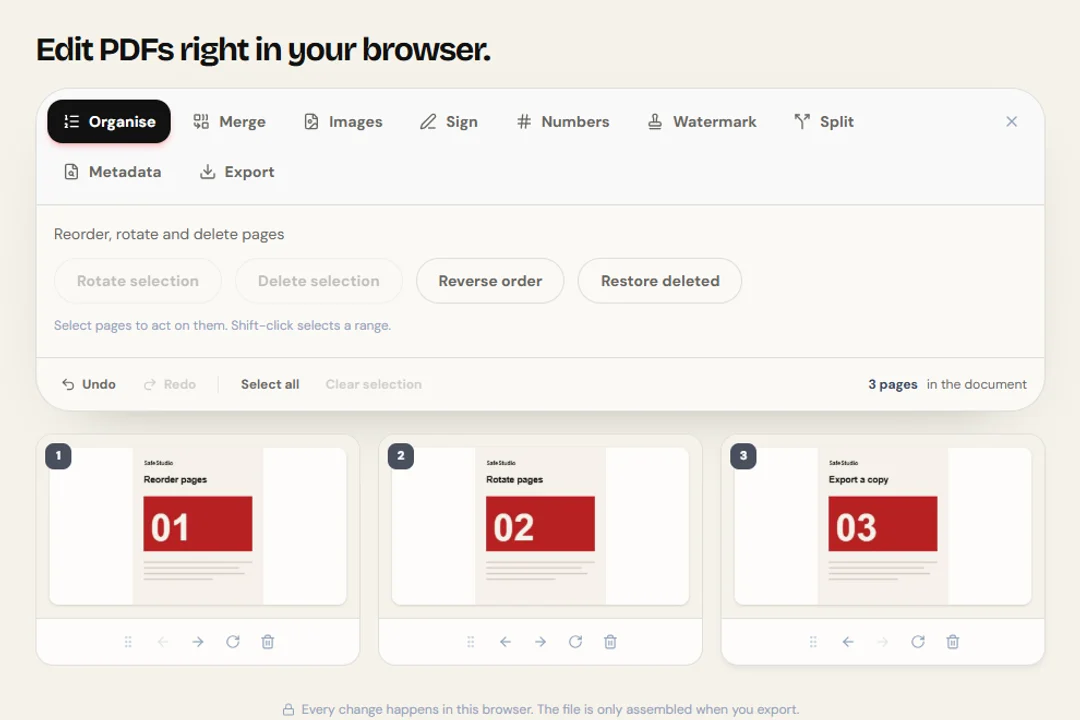
Organise the pages
Use the arrows to change the order, the rotate icon to turn a page and the bin to mark it for deletion. Deleted pages fade out and can be restored.
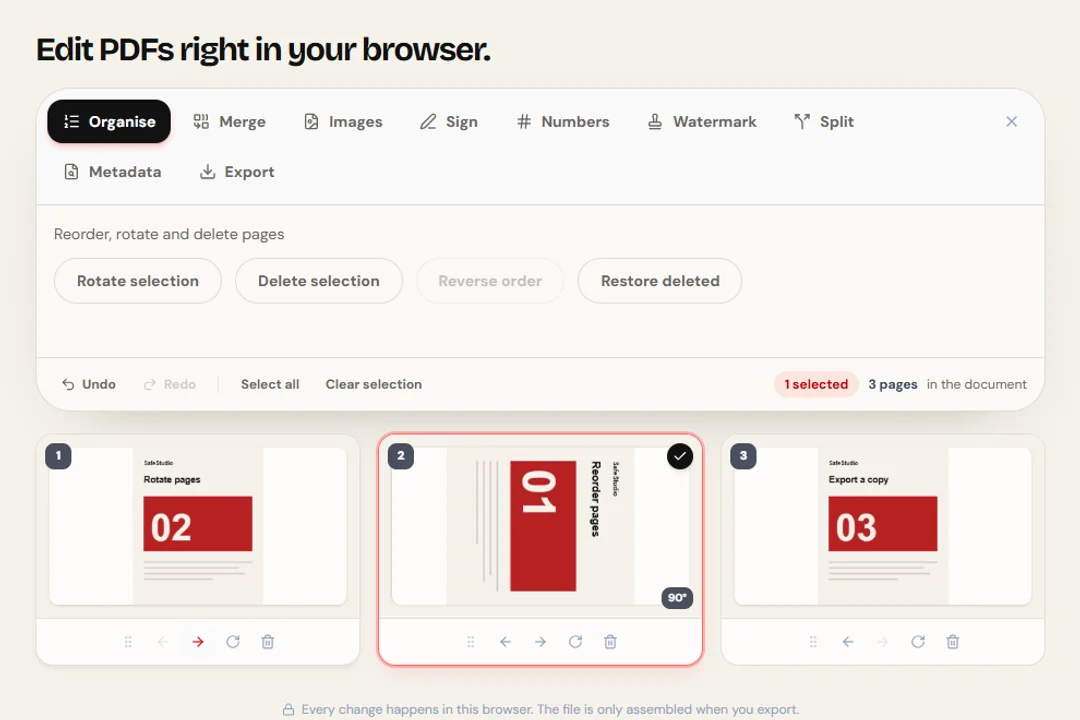
Download the result
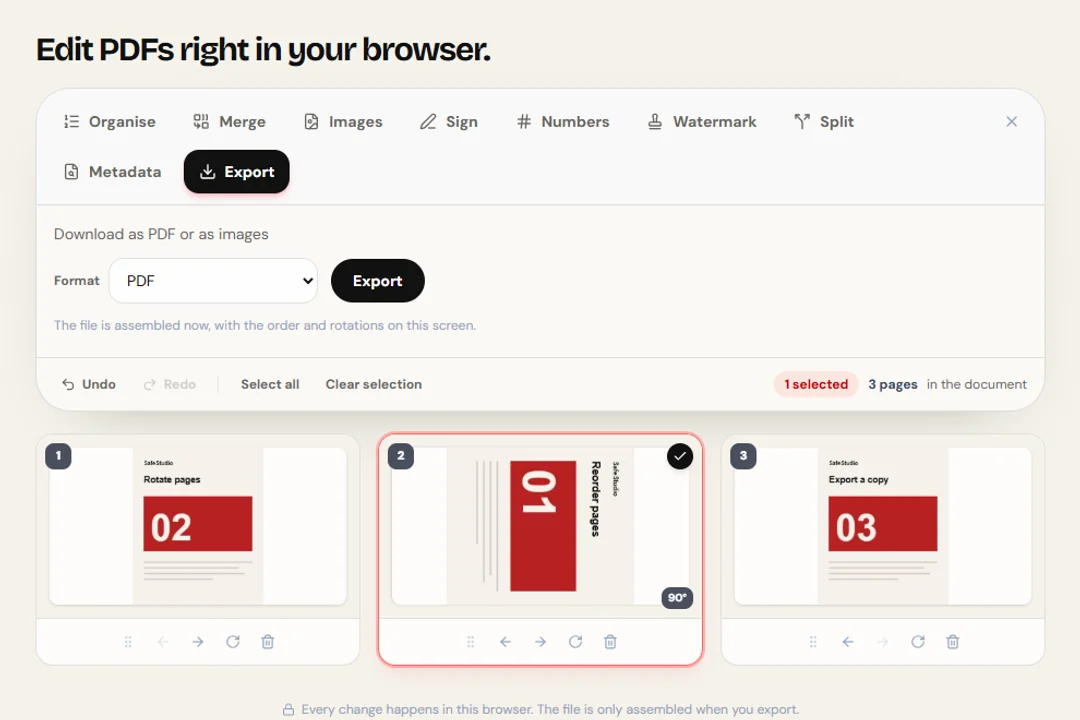
Click apply and download the reorganised PDF. The document is rebuilt in your browser with the pages in the order and angle you set.
( Features )
See what you edit
Nothing is uploaded
The thumbnails are rendered on your computer, and so is the rebuild. No byte of the document travels over the network.
You see what you edit
Editing by page number is guesswork. Here every sheet appears as a thumbnail, so the final order is verified before you download.
Reversible deletion
Marking a page for deletion does not remove it immediately: it fades out and comes back with one click, until you apply the changes.
Rotation that respects the original
The turn is added to the angle the page already declares in the file, so sideways scans behave the way you expect.
Content preserved
Text stays selectable, links stay clickable and fonts travel with the file. Nothing is flattened into an image along the way.
No watermark
The final file gets no stamp, no footer and no advertising page.
( The toolkit )
What do you need to do with your PDF?
Start in the full editor or jump straight to the tool you need.
PDF editor
Preview, reorder, rotate and delete pages in one workspace.
Merge PDF
Combine PDFs in the order you choose.
Split PDF
Extract a range or separate pages.
Sign PDF
Draw and position a signature.
Add page numbers
Set the position and format of page numbers.
Watermark PDF
Add text with adjustable size and opacity.
Remove PDF metadata
Inspect metadata and export a clean copy.
Image to PDF
Turn photos and scans into one PDF.
PDF to JPG
Export pages as JPG or PNG images.
- PDF tools
- 9
- Limit per file
- 100 MB
- Export formats
- 3
- Accounts required
- 0
( Page editing )
Get the document ready to send
This editor works at the page level: order, rotation and deletion, with a preview of every sheet in view. It does not rewrite the text inside the PDF. That is worth saying plainly, because "edit PDF" means very different things to different people.
Reorder pages
Move pages into the right place when the scanner flipped sheets, or when the annex needs to come before the body of the document.
Rotate what came in sideways
A scanned page turns in 90-degree steps, added to the angle the file already declares — including documents that were already rotated.
Delete what is left over
Mark blank pages, repeated cover sheets or anything that should not be sent. You can undo it before applying.
( Privacy )
Why your document stays with you
Editing a PDF is usually the last step before sending something that matters. That is exactly the moment when uploading the file to an unknown server makes the least sense.
Local processing
Rendering and rewriting happen in JavaScript and WebAssembly, inside the tab. No byte of the document leaves the machine.
No storage
There is no server keeping a copy, because there is no upload. Close the tab and everything leaves memory.
No account
No sign-up, no email, no daily limit tied to a login.
( Questions? Answered )
Frequently asked questions
Can I edit the text inside the PDF?
No. This editor works at the page level: order, rotation and deletion. Changing the text inside a PDF requires rebuilding the content stream and the embedded fonts, which no browser tool does reliably. We would rather say so than hand you a broken result.
Is my file uploaded to a server?
No. The thumbnails and the final document are generated in your browser. Open the network panel (F12) before editing: no request carrying the document is made.
Can I undo deleting a page?
Yes. Pages marked for deletion fade out in red and come back with a click on the undo icon. Nothing is actually removed until you click apply.
Does rotation work on sideways scans?
Yes. Many scanned PDFs already carry an angle declared in the file. The turn you apply is added to that angle, so the result matches what the thumbnail shows.
Why does opening the document take a moment?
Every page is rendered as a thumbnail on your own computer, which takes a few seconds on long documents. After that, reordering, rotating and deleting are instant.
Does the document quality change?
No. The thumbnails are preview only. The final file is rebuilt from the original pages, with fonts, images and annotations preserved.